You can easily access your quality programming from your mobile Apple device. It is just as intuitive to run your programming as it on your computer. In just a few simple steps, you can have an icon on your mobile device:
Tap the Share button on the browser’s toolbar — that’s the rectangle with an arrow pointing upward
Click add to home screen
Customize the desired name of the shortcut and tap the add button
Watch this quick video for a step by step guide below.
If you are interested to learn more please don’t hesitate to reach us at digital@sportforlife.ca. For monthly updates relating to all Sport for Life content, subscribe to our monthly newsletter.
While PLAYBuilder contains over 700 activities, 200 lesson plans, we recognize these may not directly address the needs of your organization. So, included within your subscription to PLAYBuilder is the option to create your own content tailored specifically to your organization’s physical literacy outcomes, age range, and sport. Before we get started, we recommend partners familiarize themselves with what collections, lesson plans, and activities are.
PLAYBuilder’s utilization of a highly intuitive content creation platform maximizes efficiency and reduces both frustration and anxiety. To begin creating your own content, we recommend watching this video to get a sneak peak on how this works:
If you are interested to learn more please don’t hesitate to reach out to us at digital@sportforlife.ca. For monthly updates relating to all Sport for Life content, subscribe to our monthly newsletter.
It has become increasingly evident that children and youth need access to physical literacy and quality sport games in order to stay active. Along with it, comes the need for an effective platform which allows for the storage, distribution, and creation of quality sport programming. Since 2018, PLAYBuilder has been providing sport leaders with the tools necessary to meet these demands. Physical literacy content takes time and resources to produce, store, and distribute. As such, those creating quality content deserve to be compensated accordingly. In this blog, we will explore how you can start generating your own revenue stream when you build content with PLAYBuilder.
PLAYBuilder provides our partners with the ability to curate unique collections, activities, and lesson plans using the plethora of pre-existing content built by Sport for Life. In addition, our partners have the capabilities to build entirely new media through PLAYBuilder’s powerful content creation tools and with it, generate revenue through the sales of their quality sport content.
First, it is important we establish the two forms of content packs: Internal and Distributable packs. Internal packs are packaged content either made by your organization or another organization which can only be shared internally. Conversely, Distributed packs are packaged content made by your organization that can be shared with another existing PLAYBuilder Partner. Learn more about these two types of packs here.
Additionally, we recognize quality sport programming takes time and resources. That is why we want to commend your hard work by marketing and promoting your content. You set the price of your content, and keep 60% of the profit generated across all sales.
Interested in generating a revenue stream yourself? Watch the following video to learn more:
With PLAYBuilder, we make the process of building, packaging, and advertising your own branded content as seamless as possible.
If you are interested to learn more please don’t hesitate to reach out to us at digital@sportforlife.ca. For monthly updates relating to all Sport for Life content, subscribe to our monthly newsletter.
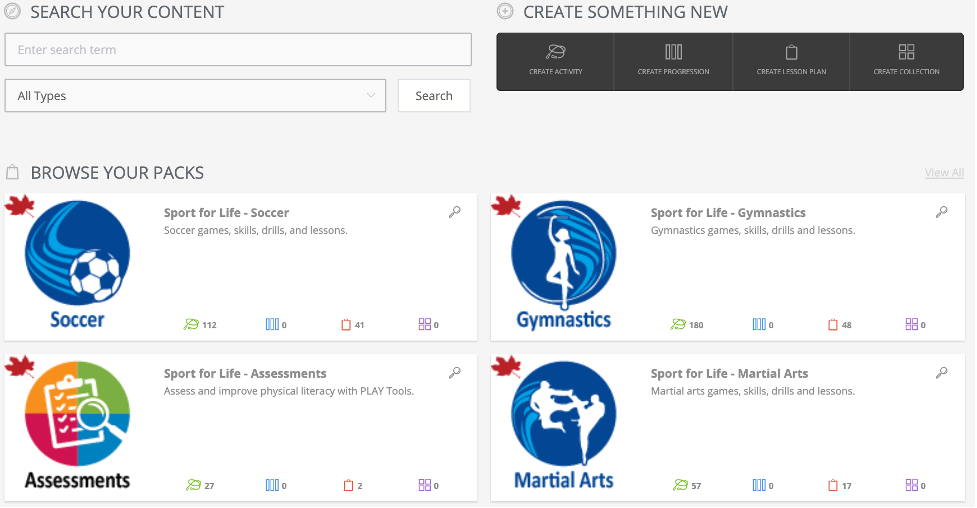
Packs are an amazing vehicle to which you can file all your physical literacy and sport programming. They are your very own branded and packaged content, that you can either distribute internally to colleagues, or externally. By distributing the packs externally you have the ability to generate revenue by selling your quality content. Want to streamline the visibility of your dashboard, so your packs appear to your preference? For internal use, you can easily toggle how they appear on your dashboard.
If you are interested to learn more please don’t hesitate to reach us at digital@sportforlife.ca. For monthly updates relating to all Sport for Life content, subscribe to our monthly newsletter.
Understanding the intricacies of any new piece of software requires seamless access to its guiding tools. For this reason, we have created a comprehensive Help section aimed at addressing both low and high level questions you may encounter as you navigate PLAYBuilder. Contained within this Help section are: how-to guides, training videos, and infographics. Essentially, all the tools you and your team need to maximize PLAYBuilder.
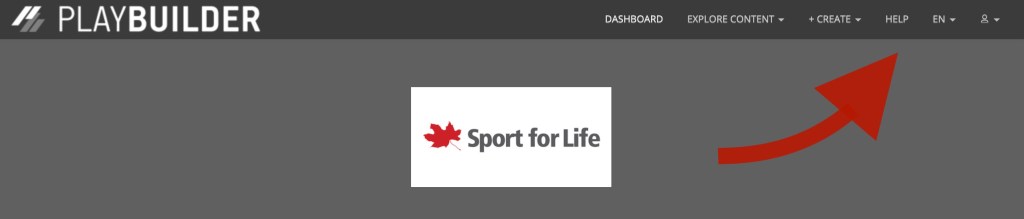
The Help section can be located at the top banner, once you have logged into PLAYBuilder.
There exists three categories:
PLAYBuilder Icons & Features
Video Help
Documents
Contained within PLAYBuilder Icons & Features exists a helpful legend should you need a refresher regarding the various icons in PLAYBuilder. Additionally, you can check out our previous blog post on our PLAYBuilder Digital Content Infographic here.
We realize that while some of our partners may prefer to get their information by watching a short video, others may prefer to read. To accommodate both forms of media, there exists the Video Help and Documents sections to provide concise and comprehensive assistance in all things PLAYBuilder. From creating your own content, activities, and playlists, to how you can generate passive revenue by developing quality sport programs, these sections quite literally have it all.
If you are interested to learn more please don’t hesitate to reach out to us at digital@sportforlife.ca. For monthly updates relating to all Sport for Life content, subscribe to our monthly newsletter.
First, let’s define packs. They are packaged content, either made by your organization or content from other organizations, that can be shared internally or externally. Curate a themed content pack that is branded, displayed and distributed on your customized dashboard. Example, imagine you’re a YouTube content creator. You have created your own account with videos that are branded by you. You can choose whether you share across the whole platform or just with a few select friends.
You can either distribute your packs internally to your members, or externally to other organizations to generate revenue. For a more in-depth look at how to generate a revenue stream by distributing your quality content, you can watch this quick video here.
Internal vs. distributable packs
Internal packs: Internal packs are packaged content either made by your organization or another organization. They can only be shared with members of your own organization. Check out this quick 20 second video on internal packs.
Distributable packs: Also referred to as “global packs”, are your packaged content made by your organization that can be shared outside of your organization. They provide a great opportunity to capitalize on your hard work by selling to your fellow sport, recreation and educational organizations! Check out this quick 20 second video on distributable packs.
If you are interested to learn more please don’t hesitate to reach us at digital@sportforlife.ca. For monthly updates relating to all Sport for Life content, subscribe to our monthly newsletter.
Collections are also known as programs or units. They are a grouping of activities and lesson plans all in one place. Imagine you are planning for a year of programming, explore a collection. Collections provide an easy way to build out your physical literacy and sport programs, months or years in advance! Check out this quick 20 second video below for an overview on collections.
If you are interested to learn more please don’t hesitate to reach us at digital@sportforlife.ca. For monthly updates relating to all Sport for Life content, subscribe to our monthly newsletter.
Lesson plans are composed of an overview, warm-up, 1-3 skills and activities, cool down, and safety section. They are usually less than 60 minutes. For example, you have a less than 60 minute program that focuses on 1-3 skills, look for a lesson plan.
Some awesome features:
Live coach: Once you have created your lesson plan, click this option to do a run-through of your lesson.
PDF: Are you planning on going offline? You can download your lesson as a PDF, so you can access it anywhere.
Playlists: If you find a lesson plan you want to save for quick access later, add it to a playlist!
Watch this 30 second video for an overview of lesson plans.
If you are interested to learn more please don’t hesitate to reach us at digital@sportforlife.ca. For monthly updates relating to all Sport for Life content, subscribe to our monthly newsletter.
Activities are also known as games, drills or cues. Activities are less than 15 minutes. They serve as the foundation of everything on PLAYBuilder. Activities are arranged by a setup, instructions, cues and safety. For example, you want a quick 5 minute game between programming, look for an activity.
Some awesome features:
Live coach: Once you have created your activity, click this option to do a run-through of your activity.
PDF:Are you planning on going offline? You can download your activity as a PDF, so you can access it anywhere.
Playlists: If you find an activity you want to save for quick access later, add it to a playlist!
Watch this 20 second video for an overview of activities.
If you are interested to learn more please don’t hesitate to reach us at digital@sportforlife.ca. For monthly updates relating to all Sport for Life content, subscribe to our monthly newsletter.
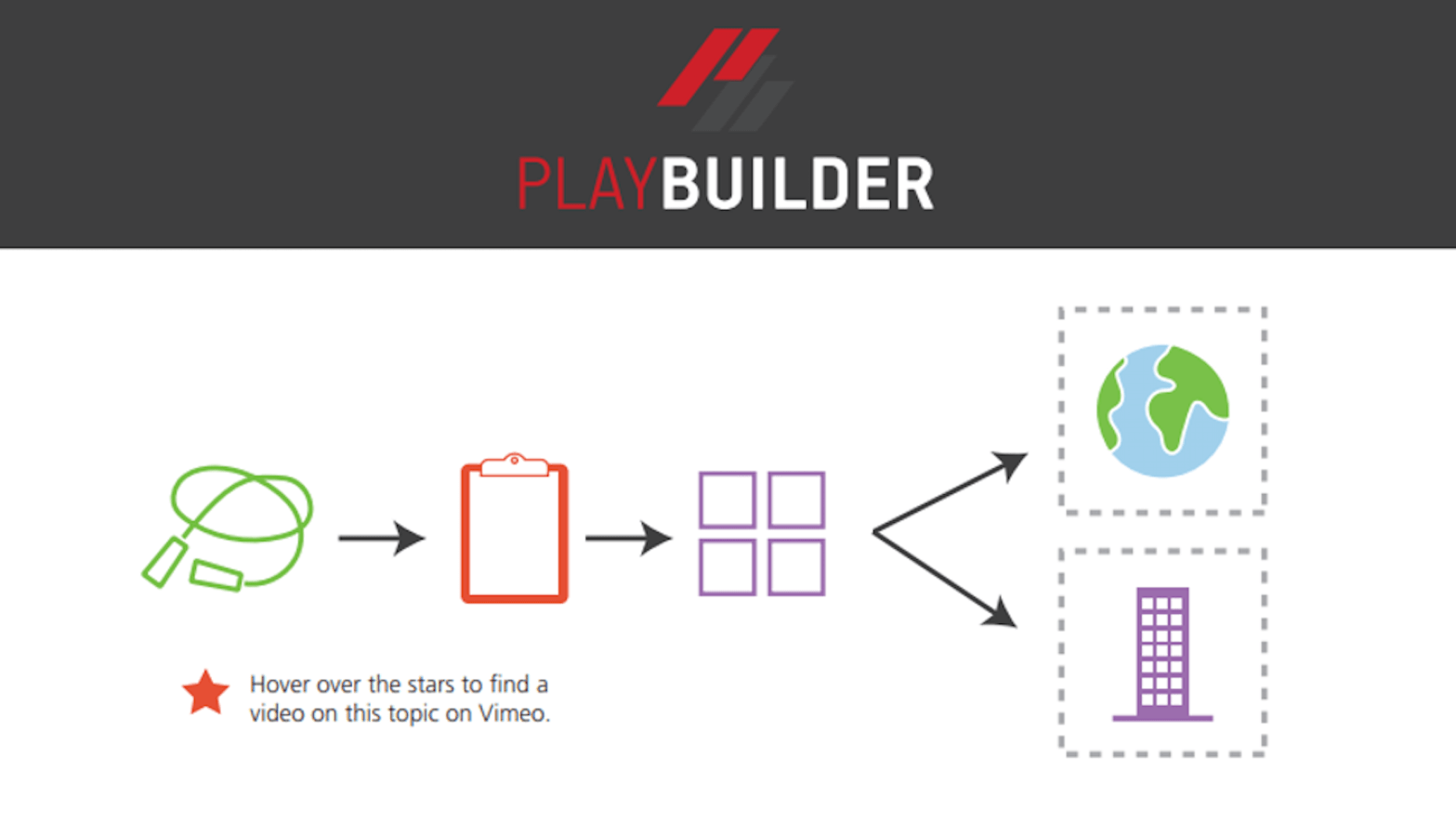
It can be hard to understand all the intricacies of PLAYBuilder. If you are like me, you have probably asked… “what is a collection? What is a pack? How do they relate?”. We created this concise infographic to narrow down on the fundamentals so they are easy to understand. It covers all the digital content essentials including activities, lesson plans, collections, and packs. For all the visual learners out there, we included videos for each content type, just click on the red stars. Feel free to download and check it out below:
You can also access this PDF in the Help section of your PLAYBuilder account under Documents.
If you are interested to learn more please don’t hesitate to reach us at digital@sportforlife.ca. For monthly updates relating to all Sport for Life content, subscribe to our monthly newsletter.






 PLAYBuilder Flow